PROJECT / 03 TEAM CONTRIBUTOR
Companion Care
Hardware and systems integration for a team-built communication prototype at Hackachusetts 2026.
Results at a glance
- My role
- Team hardware integration: Linux display support, touchscreen mapping, monitor power, soldering and troubleshooting.
- Team outcome
- A touchscreen communication prototype supporting 10 languages, demonstrated in the team’s overview video.
- Evidence & scope
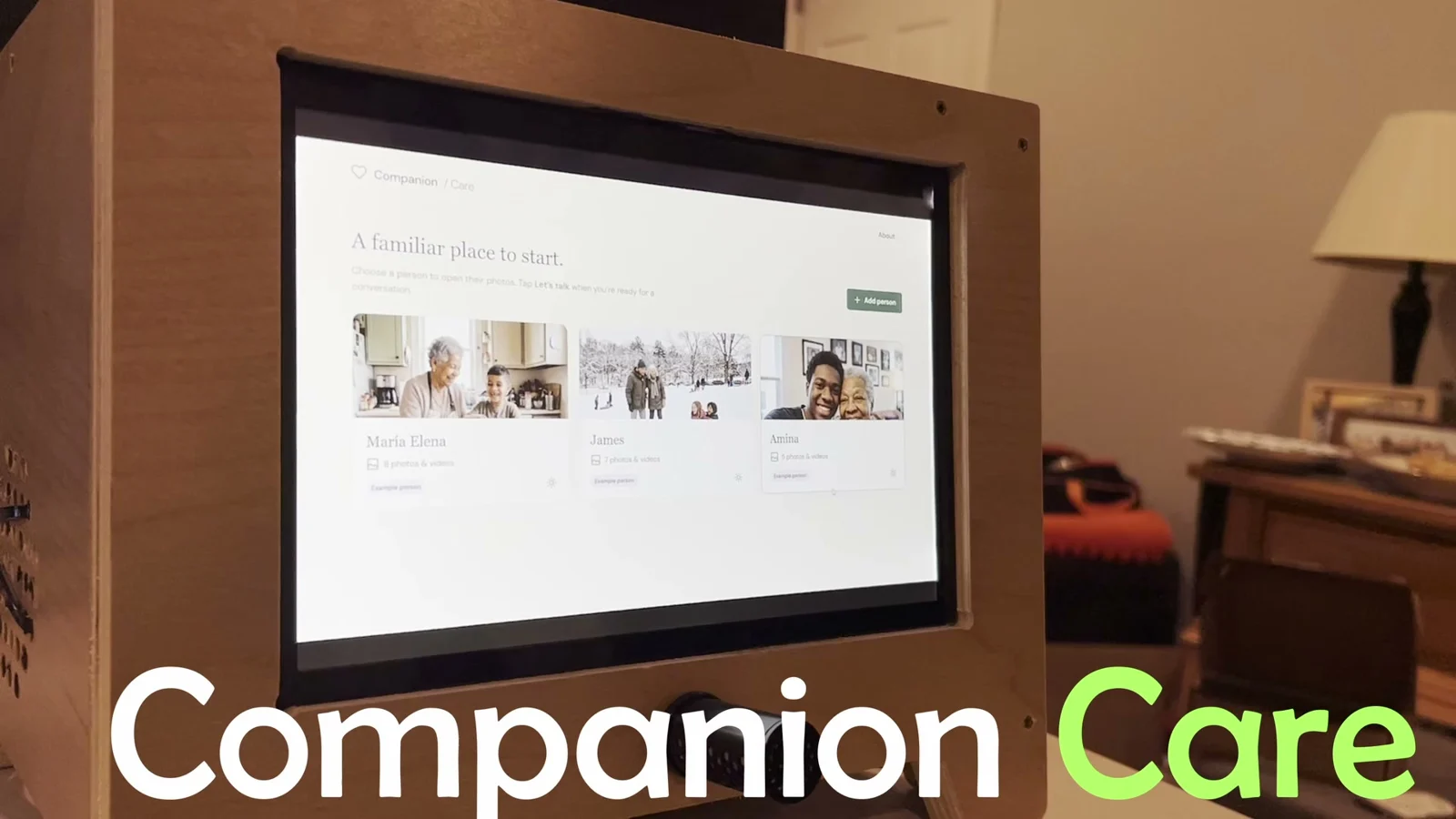
- The footage shows profile selection, multilingual text and the completed enclosure. My contribution was hardware and display integration.
01 / THE TEAM PROJECT
A physical interface
for conversation.
Companion Care is a team-built touchscreen prototype supporting conversations across 10 languages.
At Hackachusetts 2026, the team brought together a conversation interface, audio hardware and a custom wooden enclosure. My contribution centered on making the display, touch input, power and computing hardware work together.
02 / CONTRIBUTION
The system only works
when the interfaces do.
Display, touch and power integration
I worked on HDMI-over-USB display support, touchscreen input mapping, monitor power, soldering and hardware troubleshooting. That meant following problems across the connection between Linux, display hardware and the physical device.
The touchscreen work mapped an existing native ILITEK input interface to the correct display. The USB display work used an experimental driver with local modifications.
A shared build
The conversation interface, audio integration and enclosure were team work. The finished prototype combined these with the display, touch and power integration to demonstrate a physical conversation device.
The video shows profile selection, a conversation interface, multilingual text and the completed enclosure. It demonstrates the prototype rather than establishing clinical efficacy or translation accuracy.
03 / INTEGRATION PATH
Debug the connection
between layers.
The technical notes document resolution and connection troubleshooting, native touch-input mapping and kiosk configuration. Some optional timing changes and reconnect/reboot behavior remained untested. The portfolio separates demonstrated integration from those proposed extensions.
04 / MONITOR POWER & BACKLIGHT
Make the available
hardware work.
We had a Hantronix HDA1010WPTM-HDMI display, but I didn’t have its mating power connector. I improvised a wired connection using soldered leads to power the monitor and bring it into the team’s prototype.
I also used approximately 1.3 kΩ at the power/control connector to bring the backlight to full brightness. The drawing identifies pin 1 as +5 V, pin 2 as ground and pin 3 as PWM. The full-brightness result is consistent with a resistor pulling the PWM input high: a steady high signal is the continuous-on equivalent of 100% duty cycle.
This was a practical prototype solution under hackathon constraints. It brought together connector identification, soldering and backlight control so the display could become part of a working system.
View monitor drawing & connector pinout ↗05 / OVERVIEW
Watch the team’s build.
06 / WHAT I BRING
Integration under
time pressure.
This project adds a collaborative systems dimension to my solo builds: isolate an interface problem, coordinate with the people developing the application and enclosure, and get the physical system into a demonstrable state. My ownership was the hardware and display integration contribution within the larger team effort.
KEEP EXPLORING